


School Solutions
Fingerprint attendance solution for schools
Admin
10/08/2026
17 min read
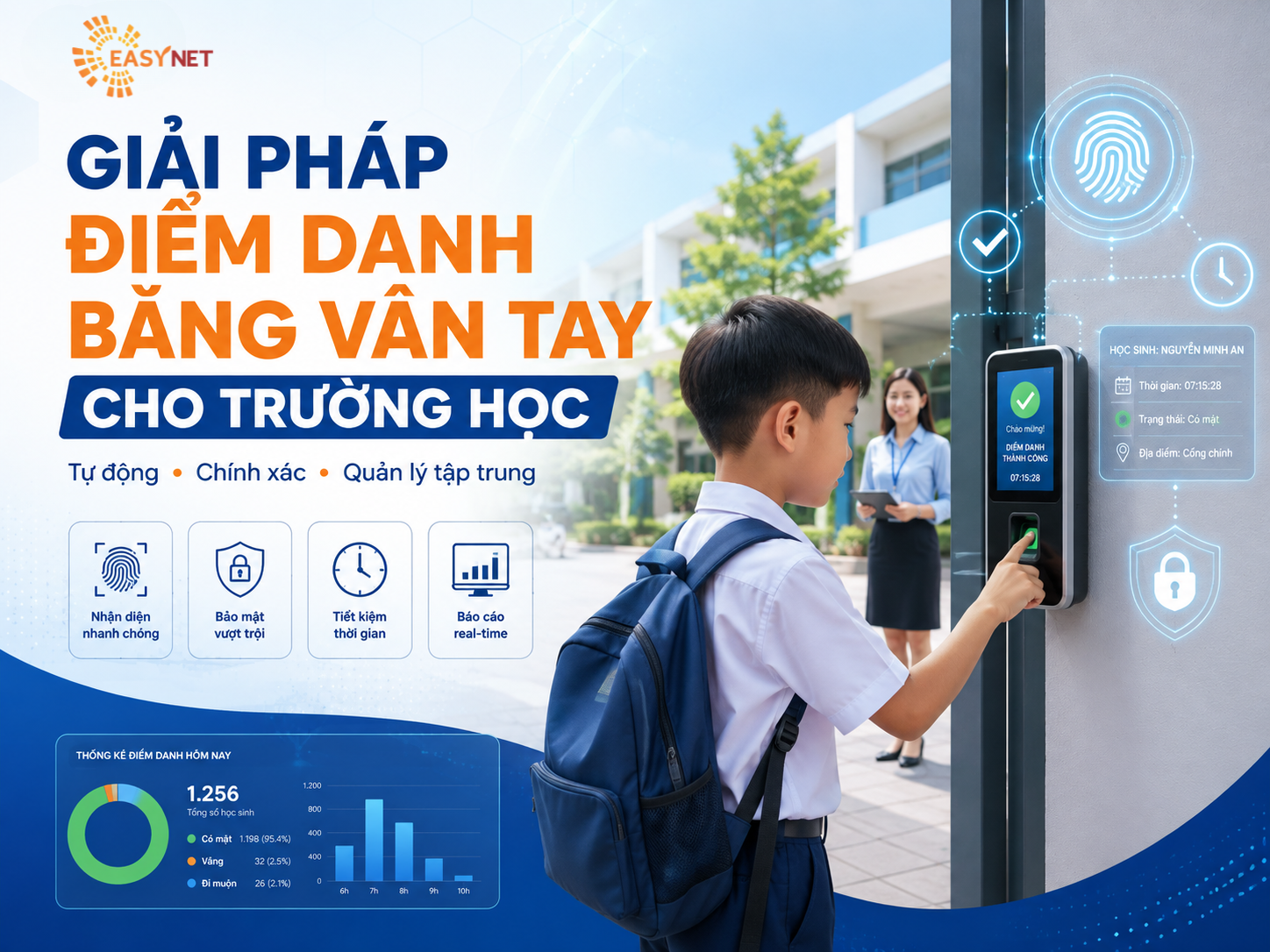
In an educational environment with a large number of pupils, students and teaching staff, manual attendance often takes a lot of time, is difficult to synthesize data and can lead to a situation of alternate attendance. EasyNet's fingerprint attendance solution helps schools automate the process of recording check-in and check-out times, centrally manage data, and support attendance tracking quickly and accurately. The system can be deployed independently or integrated with Access Control, student management systems, timekeeping software and school administration platforms.
I. CHALLENGES IN ATTENDANCE MANAGEMENT
Schools may encounter many difficulties when still applying the traditional attendance method:
- Wasting time taking attendance at the beginning of the hour.
- Difficult to manage a large number of students.
- Household attendance may occur.
- Data is scattered, difficult to synthesize and report.
- Difficult to check exact arrival and departure times.
- Attendance data has not been linked to the access control system.
- Spends a lot of resources on statistics and control.
EasyNet proposes an automatic attendance system to digitize this entire process on a centralized management platform.
II. EASYNET SOLUTIONS
Pupils, students or teachers can register information and fingerprint samples on the system.
When arriving at school, users only need to authenticate at the device. Automated system:
User authentication → Record time → Synchronize data → Check status → Save history → Compile reports
Data can be managed by:
- Students / students.
- Teachers / staff.
- Class.
- Faculty / department.
- Study.
- Timetable.
- Area or facility.
- In – out time.
Thereby, the management department can quickly identify cases of punctuality, lateness, absence or entry/exit outside the prescribed time..
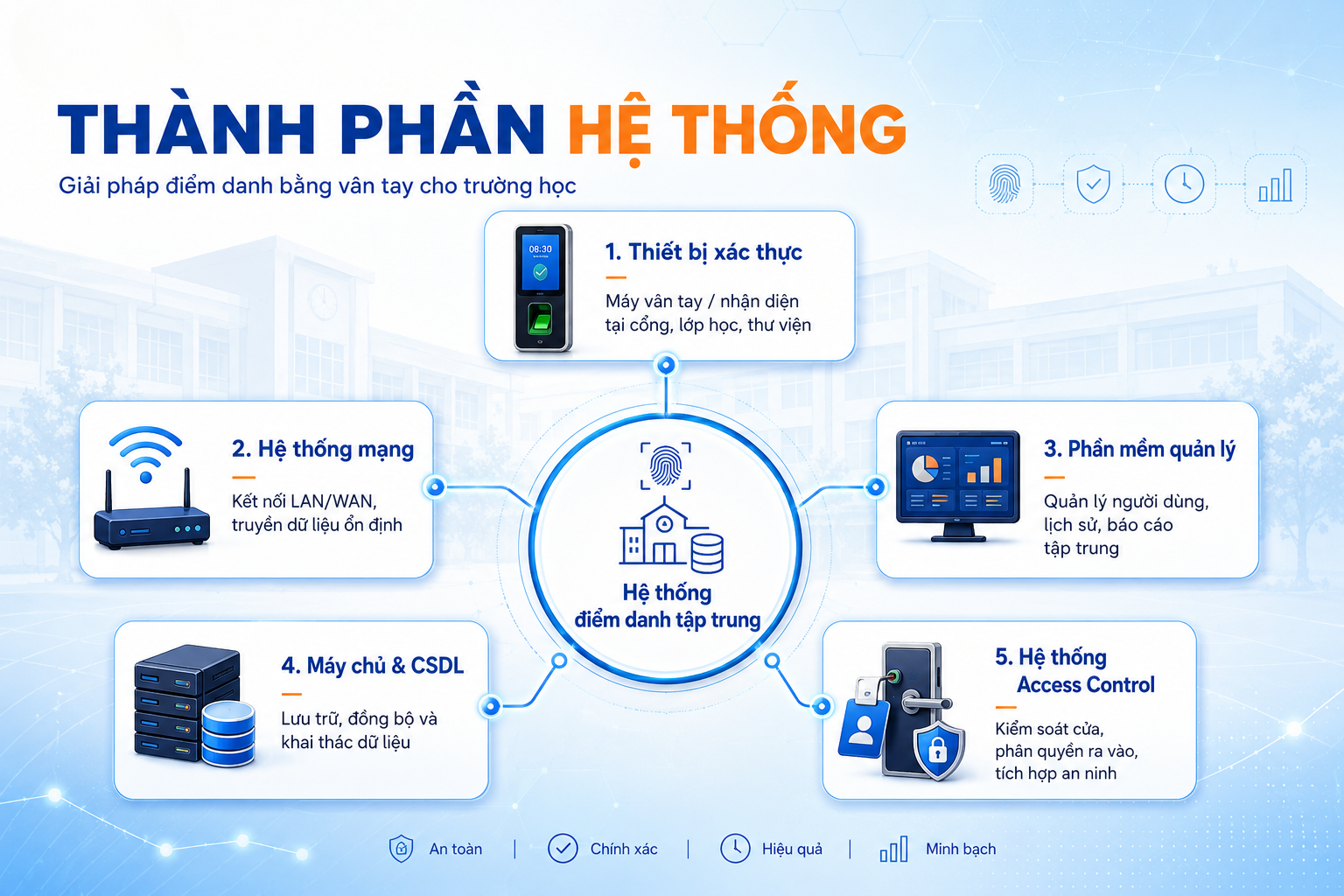
III. SYSTEM COMPONENTS
1. Authentication device
Fingerprint reader device is located at:
- School gate.
- Building lobby.
- Classroom area.
- Lab.
- Library.
- Dormitory.
- Areas that need to be controlled.
Depending on requirements, EasyNet can design a system that supports additional RFID/NFC cards, QR codes or facial recognition to create many different authentication methods.
2. Network system
The device is connected to the management system through the school's LAN/WAN network, helping data to be centralized and synchronized between multiple areas or facilities.
3. Management software
Supported software:
- Manage user lists.
- Register and authorize.
- Tracks input and output times.
- Manage attendance history.
- Lookup by user, class or time.
- Aggregate data.
- Export report.
- Centralized management of multiple devices.
4. Server & database
Attendance data can be stored centrally on the Server or platform suitable for the school's existing IT architecture.
5. Access Control System
When there is a need for higher security control, the attendance system can be combined with:
- Access control door.
- Turnstile / Flap Barrier.
- Electromagnetic lock.
- Door controller.
- Surveillance camera.
One authentication can simultaneously serve attendance recording and access control.
IV. OPERATION PROCESS
- Step 1 – Register
The school initializes the user profile and registers authentication information.
- Step 2 – Authentication
Student or teacher performs authentication at the device.
- Step 3 – Record
Device records ID, location, time and authentication status.
- Step 4 – Synchronization
Information is transferred to the central management system.
- Step 5 – Compare
Software that compares data with school schedules or regulations.
- Step 6 – Report
The system compiles a list of attendance, tardiness, absences and cases that need to be checked.
V. BENEFITS BRINGED
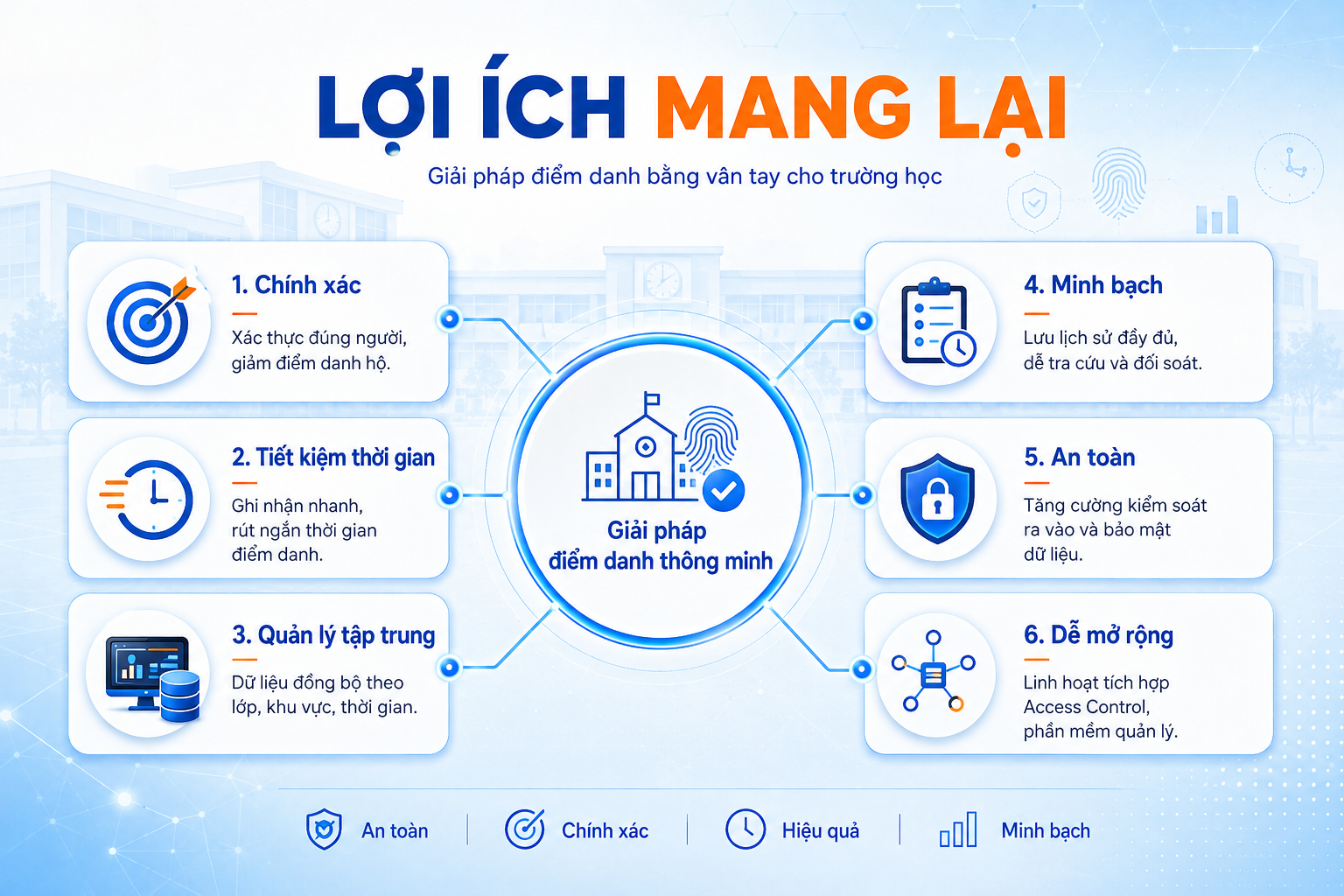
1. Exactly
Authentication based on biometric characteristics increases the likelihood of correctly identifying the user.
2. Fast
Reduces time spent taking attendance and compiling lists.
3. Focus
Data from multiple devices, multiple regions, or multiple facilities can be managed on the same system.
4. Transparency
Authentication history is saved for lookup, comparison and reporting.
5. Safety
Attendance can be combined with door control to manage who is allowed in and out of each area.
6. Flexibility
The system can expand from a single gate or area to multiple buildings and facilities.
7. Integration
Able to connect to other platforms through API or integration methods suitable for existing systems.
VI. EASYNET – INTEGRATED SOLUTION FOR SCHOOLS
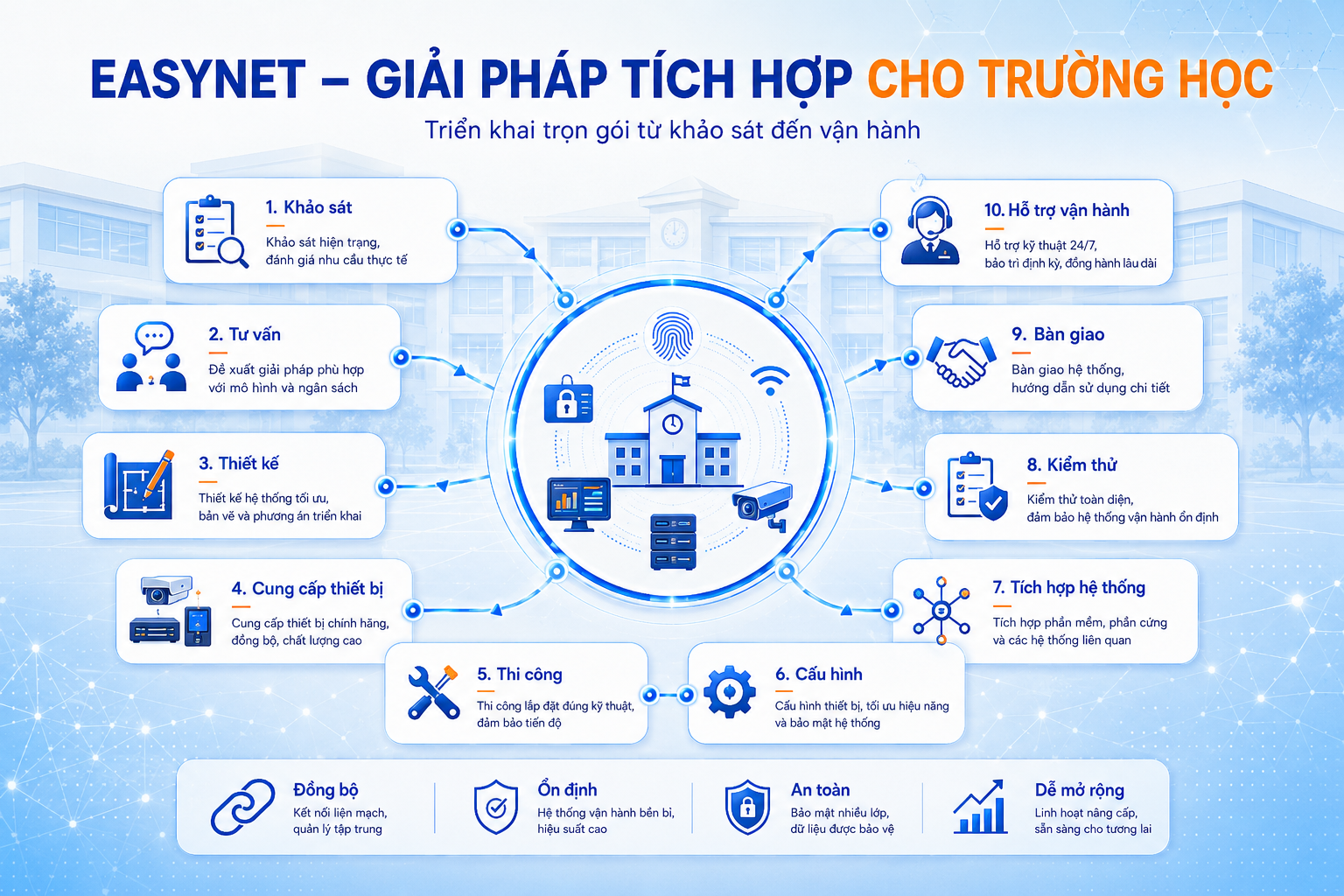
EasyNet provides comprehensive deployment services:
Survey → Consulting → Design → Equipment supply → Construction → Configuration → Integration → Testing → Handover → Operational support
The solution is designed based on the actual scale of each school, from a small area to a multi-building or multi-facility system.
EasyNet aims to build a stable - safe - easy to manage - long-term expandable system, accompanying schools in the process of digitizing management activities and building a smart educational environment.
Contact EasyNet for survey and advice on attendance - access control solutions suitable for the school's model.
